


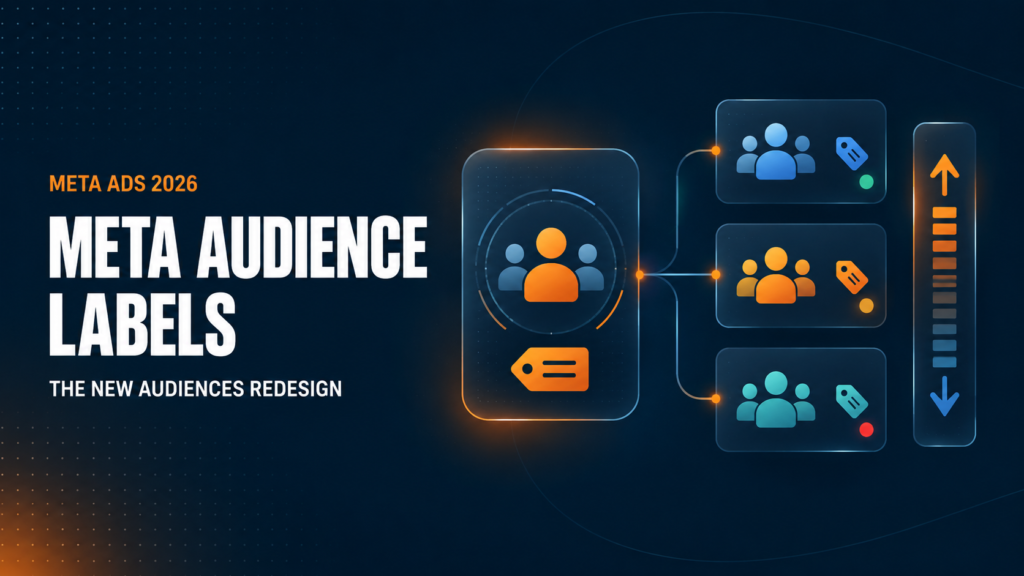
Meta has started rolling out a redesigned Audiences section built around audience labels. For advertisers with access, Custom Audiences now sit inside clear groups such as Customers, Engaged Audiences, and Unlabeled Audiences. Lookalike Audiences and Saved Audiences also receive their own sections.
At first glance, the change looks like an overdue interface cleanup. The larger reason sits deeper in Meta’s advertising system.
Meta audience labels give advertisers a structured way to tell the platform what different first-party audiences mean to the business. Meta then uses those labels with audience value rules, which let advertisers raise or lower bids for selected groups without splitting them into separate ad sets.
This matters because Meta has spent years pushing advertisers toward broader targeting, fewer campaigns, and greater automation. Audience labels do not reverse this direction. They give advertisers a new way to feed business context into an automated system.
Used with clean first-party data, labels help Meta distinguish a high-lifetime-value customer from a recent buyer, a qualified lead from a disqualified lead, or an active trial user from a cart abandoner. Used without a clear business case, they add complexity and risk paying more for people who were already likely to convert.
This guide explains the redesigned Audiences section, the connection to value rules, and the setup mistakes advertisers should avoid.
TL;DR
Meta’s new Audiences design organizes Custom Audiences under Customer, Engaged Audience, or Unlabeled groups. Each eligible Custom Audience receives one label. Lookalike and Saved Audiences do not support labels.
The labels matter because Meta now supports value rules based on labeled audiences. A value rule adjusts how aggressively Meta bids for a selected group inside the same campaign. Adding a label alone does not improve performance. Use labels when your CRM, Shopify data, or lead-quality data contains information Meta does not already understand.
Table of Contents
What Are Meta Audience Labels?
Meta audience labels classify Custom Audiences by their relationship to your business. A label tells Meta whether an audience represents customers, high-value buyers, qualified leads, trial users, cart abandoners, or another defined group.
Before the redesign, labels received little attention. The option sat near the bottom of the Custom Audience creation or editing process, where many advertisers missed it. The Audiences page offered little reason to maintain a clear labeling system.
The redesigned page changes this. Labels now shape the entire audience-management view, placing them in front of advertisers whenever they review Custom Audiences.
Meta now groups audiences into Customers, Engaged Audiences, Unlabeled Audiences, Lookalikes, and Saved Audiences. The first two groups contain labeled Custom Audiences. Lookalike and Saved Audiences do not support labels.
The key limitation is simple: each Custom Audience receives only one label. Your naming, audience definitions, and CRM logic need to stay precise.
The Complete List of Meta Audience Labels
Meta divides eligible labels into two broader categories: Customers and Engaged Audiences.
Customer audience labels
| Label | Best working definition | Example source |
|---|---|---|
| High value | Customers worth more to the business based on lifetime value, margin, order frequency, or another verified measure | CRM segment of repeat buyers above an LTV threshold |
| Low value | Customers with weak or negative business value | Buyers with chronic returns, low margin, or high service costs |
| Recent purchasers | Customers who purchased within a defined recent period | Shopify purchasers from the past 30 days |
| At risk | Customers showing a measurable risk of churn | Subscribers nearing cancellation or buyers past their expected reorder date |
| Disengaged | Customers who no longer respond or purchase | Customers with no purchase or email engagement for a set period |
| General customers | Customers who do not fit a more specific customer label | All matched purchasers not included elsewhere |
Engaged Audience labels
| Label | Best working definition | Example source |
| Qualified leads | Leads meeting your sales or qualification criteria | CRM contacts with the right budget, location, or sales status |
| Disqualified leads | Leads who fail your qualification criteria | Invalid, out-of-market, low-intent, or ineligible leads |
| App users | People using your app | Active users synced from an app event or customer database |
| Trial users | People inside a free or paid trial period | SaaS users who started a trial but have not converted |
| Cart abandoners | People who added products to cart without purchasing | Website or server-side AddToCart audience excluding purchasers |
| Other engaged users | Engaged people outside the listed definitions | Webinar attendees or product-demo viewers |
The table definitions should become internal business rules before anyone applies labels in Ads Manager. “High value” means little until your team agrees on a measurable threshold.
For an ecommerce brand, high value might mean more than $500 in gross margin over 12 months. For lead generation, a qualified lead might require a valid phone number, an approved service area, and a minimum project budget. Base each definition on real business data.
Why Meta Redesigned Audiences Around Labels
The redesign supports Meta’s wider shift toward automated delivery.
Meta has reduced the role of rigid manual targeting through Advantage+ Audience and audience expansion. In many accounts, the strongest structure now uses broad targeting, clean conversion signals, and fewer campaigns. Our Meta Ads targeting guide explains why manual audience micromanagement has lost much of its value.
Yet automation has a blind spot. Meta only knows what advertisers send back.
If two customers each place a $100 order, the Purchase event initially makes them look equal. Your internal data might tell a different story. One customer keeps 90% of orders, buys four times per year, and pays full price. The other returns half of all purchases and orders only during deep promotions.
Meta does not receive this full economic picture from a standard Purchase event.
Audience labels create a shared structure for first-party information. Meta’s official guidance says labels help advertisers identify Custom Audiences and support tools such as value rules. The new design makes the labeling process easier to see and easier to maintain.
This is less about bringing old-school audience targeting back. It is about feeding better business signals into Meta’s bidding system while keeping campaigns consolidated.
How Meta Audience Labels Connect to Value Rules
Meta value rules let advertisers express how much more or less certain outcomes matter across selected criteria. Audience labels extend this system to first-party Custom Audience groups.
Suppose your CRM shows qualified leads become paying customers at three times the rate of unqualified leads. A rule might tell Meta to bid more aggressively for the Qualified Leads group and less for Disqualified Leads.
The campaign stays consolidated. Meta adjusts its auction behaviour based on the extra value information provided by your business.
This distinction matters: audience labels do not build a new prospecting audience, find more people who resemble high-value buyers, or guarantee better customers. A rule changes how Meta values and bids for people who already belong to a labeled audience.
Delivery patterns might create secondary effects, but advertisers should treat any broader improvement as a hypothesis requiring measurement.
Three Practical Uses for Meta Audience Value Rules
1. Reduce spend on disqualified leads
A lead-generation campaign often sends the same Purchase, Lead, or CompleteRegistration signal for every submission. Meta sees a result, even when the sales team later rejects the lead.
If your CRM syncs disqualified leads into a Custom Audience, the label gives Meta information missing from the original event. Reducing bids for this group helps limit repeated spend on people your business already knows will not qualify. Sending qualified lead outcomes through Conversions API should remain part of the long-term setup.
2. Prioritize proven high-value customers for a specific offer
An ecommerce brand launching a premium product might value repeat customers with strong lifetime value more than an average visitor. A high-value label lets the advertiser raise bids for this group inside a broader campaign. Your data should still show why reaching the group more often supports the offer, margin target, or retention goal.
3. Reduce bids for recent purchasers
Many Meta campaigns generate attractive reported ROAS by reaching people who recently purchased and were likely to buy again through email, SMS, organic traffic, or direct visits.
If your goal focuses on new-customer growth, a lower bid for recent purchasers might reduce this bias without fully excluding customers. Meta still has room to reach a recent buyer when the economics make sense.
Review the result using new-customer revenue and blended acquisition cost. Platform ROAS alone will give an incomplete answer. Our Meta Ads attribution guide explains why warm-audience conversions often look stronger in Ads Manager than their true incremental effect.
When You Should Avoid Audience Value Rules
Most advertisers should not apply a rule simply because Meta offers one.
Avoid audience value rules when:
- Your labeled audiences are too small to influence delivery consistently.
- Your CRM data is incomplete, stale, or updated manually.
- Your team has no shared definition of high value, low value, qualified, or at risk.
- You are reacting to reported ROAS without measuring contribution margin or incremental revenue.
- Meta already receives the same information through accurate purchase values and deeper funnel events.
- You want to force delivery toward a preferred group without evidence of greater business value.
- Your campaign lacks enough conversion volume for a stable baseline.
The strongest use cases usually appear in larger brands with clean CRM data, meaningful audience scale, and a verified difference in lifetime value, margin, lead quality, churn risk, or purchase intent.
Meta Audience Labels vs. Audience Segments
Meta uses similar language for two separate features, which creates avoidable confusion.
Audience labels live inside the Audiences section and apply to individual Custom Audiences. They organize first-party groups and support audience-based value rules.
Audience segments live in Advertising Settings. They define groups such as Existing Customers and Engaged Audience for reporting and campaign controls.
| Feature | Audience labels | Audience segments |
| Setup location | Audiences | Advertising Settings |
| Main purpose | Classify Custom Audiences and support value rules | Define customer and engagement groups for reporting or campaign use |
| Level of detail | Specific labels such as High Value or Qualified Leads | Broad groups such as Existing Customers or Engaged Audience |
| Automatic connection | No clear automatic connection | Managed separately |
Do not assume labeling a Custom Audience as High Value automatically adds the group to your Existing Customer audience segment. Review both areas separately.
How to Set Up Meta Audience Labels Properly
Step 1: Audit and define your Custom Audiences
Review active Custom Audiences. Flag duplicates, outdated lists, and unclear naming. Focus on audiences tied to current business data. Then write a measurable rule for every label you plan to use.
Write a measurable rule for every label you plan to use.
For example:
- High value: customers with at least $400 in 12-month contribution margin
- Recent purchasers: customers who purchased in the past 30 days
- At risk: subscription customers with two failed payments or a churn score above your set threshold
- Qualified leads: contacts accepted by sales after budget and location review
If the definition does not fit in one sentence, the segment needs more work.
Step 2: Build dynamic source audiences
Use CRM, ecommerce, app, or website data that refreshes on a reliable schedule. Dynamic membership matters because a recent purchaser eventually stops being recent, while a trial user eventually becomes a customer, churns, or enters another stage.
Static lists become inaccurate fast. Inaccurate labels send weak instructions into the auction.
Step 3: Apply labels in the Audiences section
In the redesigned experience, select one or more eligible Custom Audiences and use the Add Label option. To replace or remove an existing label, select Change Label.
Remember, one Custom Audience supports one label. Lookalike and Saved Audiences remain outside the labeling system.
Step 4: Start with one business problem
Do not launch several competing bid adjustments at once.
Choose one issue with enough financial impact to measure. Good starting points include excessive spend on disqualified leads, weak new-customer acquisition, or a premium launch aimed at proven high-LTV buyers.
Step 5: Set a baseline before changing bids
Record normal results across a meaningful comparison period. Track the metric linked to the problem, such as cost per qualified lead, new-customer acquisition cost, contribution margin, incremental revenue, or blended marketing efficiency ratio.
Step 6: Review business results, not Meta ROAS alone
A bid increase often raises delivery and attributed conversions for a warm group. This does not prove the ads produced more total demand.
Compare Ads Manager with Shopify, CRM, finance, and incrementality data. If platform ROAS rises while blended revenue or profit stays flat, the rule shifted attribution rather than business performance.
My Recommendation for Ecommerce Advertisers
Treat Meta audience labels as data infrastructure first and a bidding tool second.
Cleaning up labels now has value for larger brands because the structure improves audience management and prepares the account for audience value rules. Yet adding labels across every historical audience creates busywork if the underlying data lacks clear definitions or regular updates.
Start with three questions. Does this audience contain business information Meta does not already receive? Is the group large and accurate enough to influence delivery? What measurable problem will a higher or lower bid solve?
If any answer is unclear, label the audience for organization if useful, but leave the bid unchanged.
Meta’s direction still favours simplified campaigns, broad delivery, and strong conversion signals. Audience labels fit this model when they help Meta interpret valuable first-party data inside a consolidated campaign. They become a distraction when advertisers use them to rebuild manual audience micromanagement under a new name.
For most small brands, clean Pixel and Conversions API tracking, accurate purchase values, better creative, stronger offers, and a consolidated campaign structure will have a greater impact. Brands with mature CRM data and enough scale have a stronger reason to bring customer and lead quality into bidding.
Frequently Asked Questions About Meta Audience Labels
What are Meta audience labels?
Meta audience labels classify Custom Audiences as specific customer or engagement groups, such as High Value, Recent Purchasers, Qualified Leads, or Cart Abandoners. Labels also support audience-based value rules.
Do audience labels change ad delivery by themselves?
No. A label organizes a Custom Audience and makes the group available for related features. Delivery changes when an advertiser applies an eligible value rule or uses the audience through another campaign setting.
Which audiences support labels?
Eligible Custom Audiences support Customer or Engaged Audience labels. Lookalike Audiences and Saved Audiences do not support labels. Each Custom Audience receives one label.
What is the difference between Meta audience labels and audience segments?
Audience labels classify individual Custom Audiences in the Audiences section. Audience segments are broader groups defined in Advertising Settings. Meta manages the two systems separately.
Should small businesses use Meta audience value rules?
Most small businesses should focus first on tracking, conversion volume, creative, offers, and campaign structure. Audience value rules deserve attention once a business has accurate first-party segments, enough matched users, and a verified difference in customer or lead value.
Build Better Signals Before You Raise Bids
Meta audience labels give advertisers more control over how first-party groups influence automated delivery. The opportunity is meaningful, but only when accurate data supports the instruction.
Do not start with the label. Start with the business problem.
If your CRM shows a real gap in customer value, lead quality, or purchase intent, labels and value rules offer a focused way to act on it. If no gap exists, extra bid adjustments will add noise to a system already built to optimize delivery.
Need a clear answer for your account? Book a Meta Ads audit and we’ll review your tracking, audience data, campaign structure, and measurement plan before you change how Meta bids.